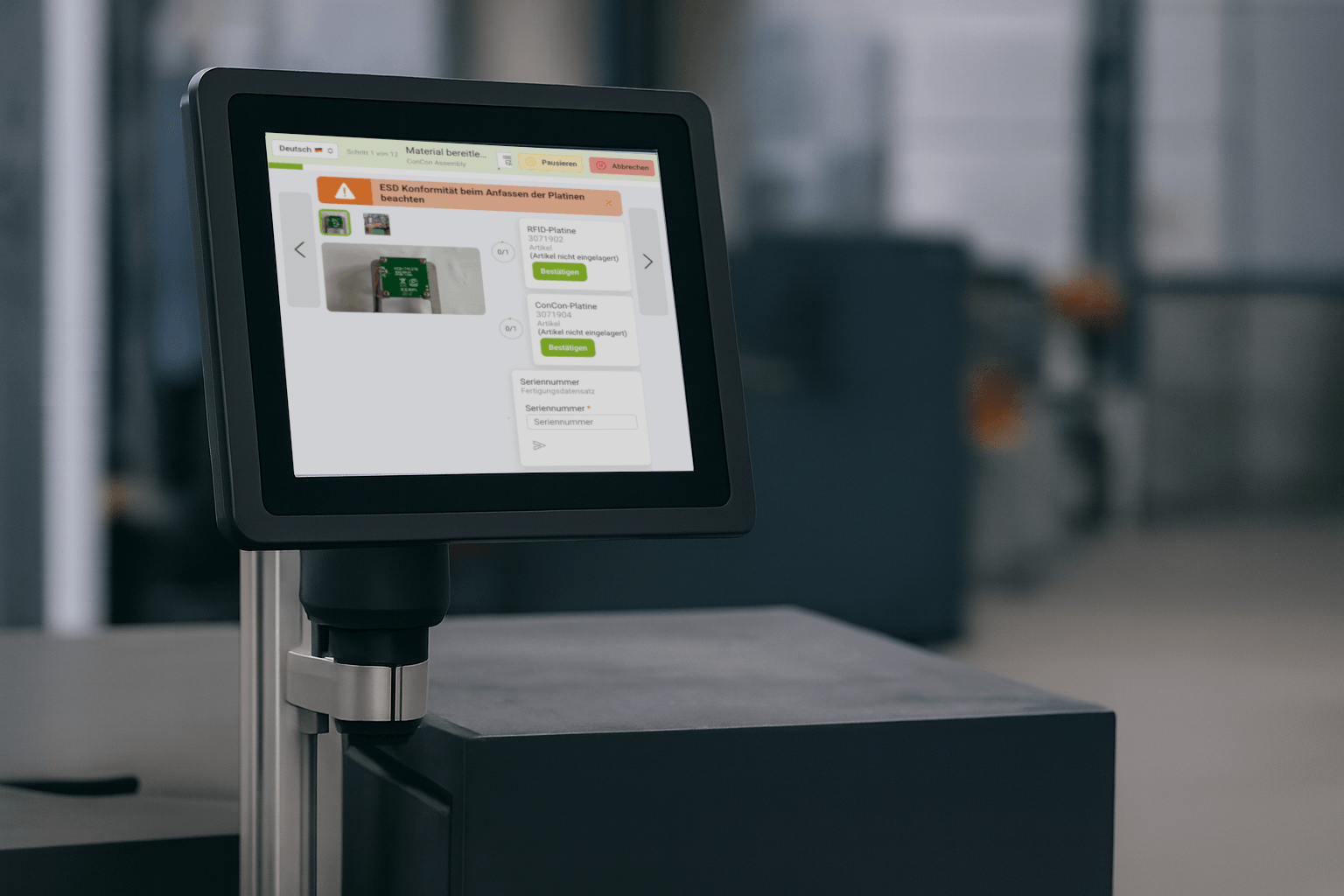
Interactive Work Instructions: Guide, Check, Secure
What truly makes work instructions interactive and why it matters
Digital work instructions are an improvement over paper, but not every digital instruction is truly interactive. A PDF on a tablet remains a static document that merely displays. Interactive work instructions go decisively further: they guide through the process, demand inputs and checks, and provide real-time feedback. This difference determines whether an instruction merely informs or actually secures the process. This article explains what makes work instructions interactive and what concrete benefit that brings in production.
What distinguishes interactive from static work instructions?
The difference lies not in the medium but in the behaviour. A static instruction, whether paper or PDF, displays content and leaves it to the employee whether and how to follow it. An interactive instruction, by contrast, actively guides through the process: it knows which step the employee is on, requires a confirmation or measurement at critical points, and only releases the next step once the current one is cleanly completed. A document that describes becomes a system that thinks along and safeguards.
The building blocks of interactive work instructions
Interactivity emerges from the interplay of several elements that support the employee at the moment of execution while simultaneously documenting the process.
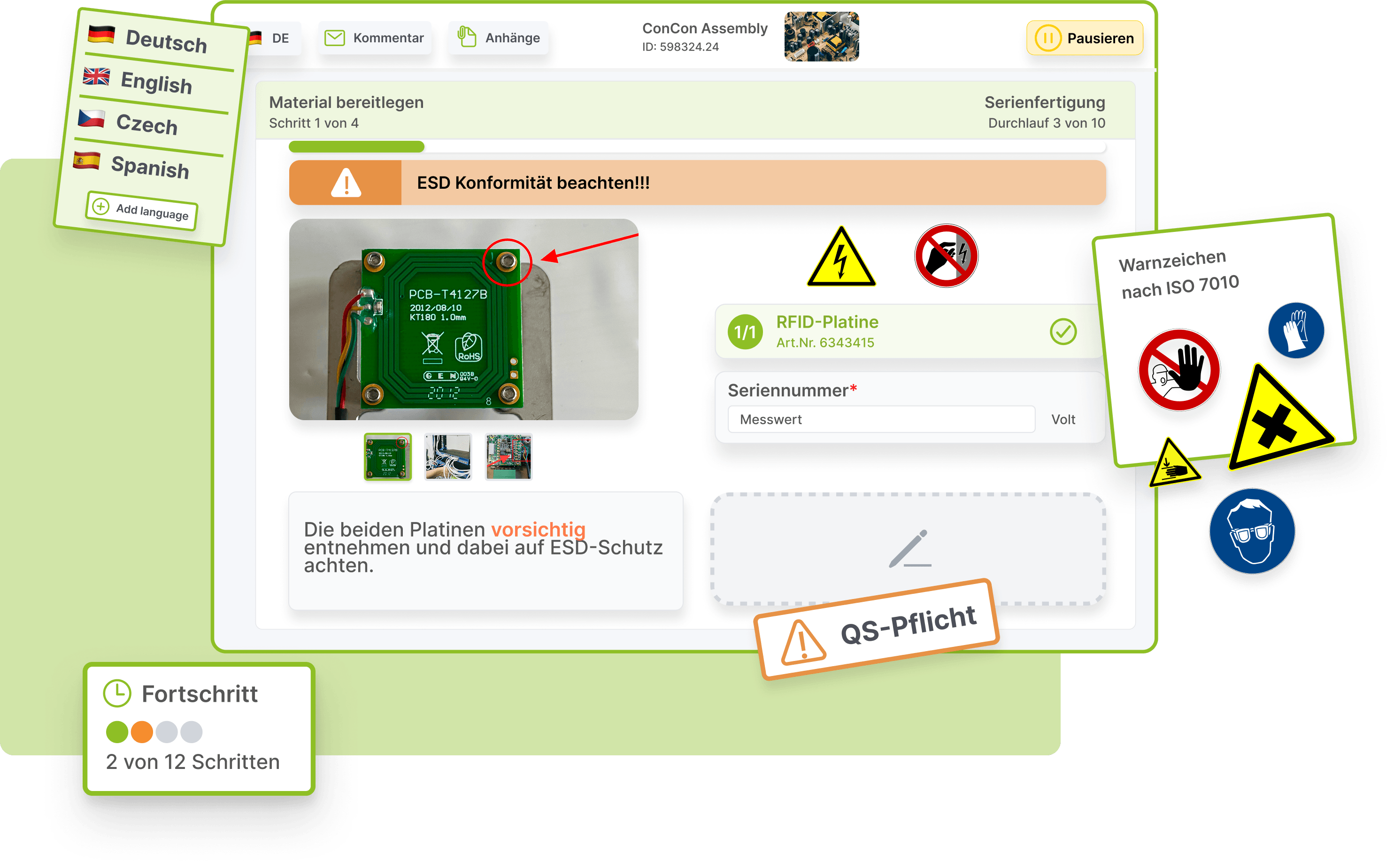
- 1Guided step sequence: The instruction leads step by step through the task rather than displaying all information at once. This reduces context switching and keeps focus on the current work step.
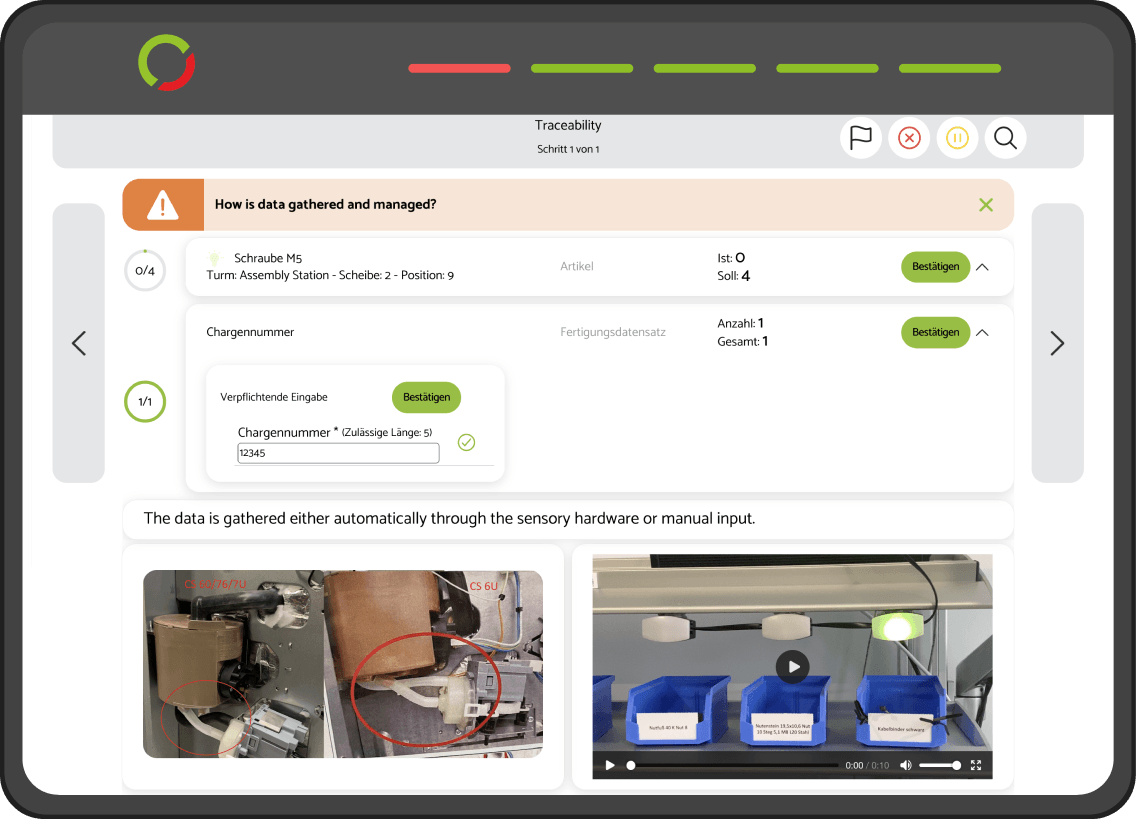
- 2Mandatory checkpoints with OK/NOK logic: At critical points the instruction requires a deliberate check and confirmation. Without this acknowledgement the process cannot continue, preventing important steps from being skipped.
- 3Measurement capture with tolerance check: Measurements are recorded directly within the step and immediately checked against stored tolerances. If a value is out of range, the instruction flags this immediately.
- 4Photo and scan evidence: Serial numbers, batch codes or conditions can be documented by scan or photo directly within the step, with no media break and no subsequent transcription.
- 5Branching and conditional steps: Depending on input or variant, the subsequent sequence adapts. The employee sees only the steps relevant to their specific case.
- 6Real-time feedback on deviations: If something is wrong, the instruction gives immediate feedback rather than letting the error pass unnoticed. Correction happens before downstream costs arise.
Why interactivity makes the difference
The decisive advantage of interactive work instructions lies in timing. Errors are prevented at the moment they arise rather than discovered only in final inspection. Because checks and records are captured directly within the work step, documentation is generated automatically and without gaps rather than being laboriously added after the fact. Studies on the effect of interactive instructions consistently show lower error rates and shorter execution times compared with purely static templates. The instruction thus moves from a passive reference to an active quality tool.
What to consider when introducing interactive instructions
Interactivity is not an end in itself. It works when it supports the natural work rhythm rather than slowing it down. Short, clear inputs at the points where they genuinely create safety are appropriate; overloaded screens that turn every step into a data entry task are not. Well-designed interactive instructions integrate unobtrusively into the activity and deliver feedback precisely when it is needed. This preserves the flow while quality and documentation run in the background.
Conclusion: from information to assurance
The move from digital to interactive work instructions is the real quality leap. The benefit comes not from the digital format alone but from the instruction's ability to guide, check and react in real time. For manufacturers this means fewer errors, reliable documentation and processes that adapt to the employee rather than the other way around. Anyone introducing digital instructions should therefore set their ambitions higher than a PDF on a tablet.
How the fundamental switch from paper to digital instructions works is explained in the article on digitizing work instructions.
FAQ
What are interactive work instructions?
Interactive work instructions actively guide employees through a process rather than merely displaying content. They require checks or inputs at critical points, give feedback on deviations, and document execution automatically.
What is the difference between digital and interactive work instructions?
Digital describes only the format. A PDF is digital but static. Interactive means the instruction reacts to inputs, guides through the process and demands checks. Every interactive instruction is digital, but not every digital instruction is interactive.
What benefits do interactive work instructions deliver?
They prevent errors at the moment they arise, enforce complete records, accelerate onboarding and supply process data for improvements. This reduces rework and increases process reliability.
Erfahren Sie, wie SETAGO Ihre Produktionsprozesse optimieren kann.
Demo vereinbaren